Every country in the world has some footprints of blockchain technology and cryptocurrency, regardless of whether the nation is economically developed or not. The Crypto Industry is a more than
$3 trillion industry. Cybercriminals have shifted their focus from targeting traditional banking systems to crypto wallets.
One of the primary reasons for targeting crypto wallets is the lack of a regulatory authority to take action. Blockchain-based wallets are still evolving, as they attempt to identify potential loopholes in the system that hackers exploit. People are investing a lot of income in buying or selling crypto assets, and it is mandatory for crypto wallet development firms and crypto exchanges to ensure the security of the assets.
Recently, the cybersecurity team at Threat Fabric discovered malware that is attacking Android devices, cryptocurrencies, and private keys of crypto wallets. The malware is known as Crocodilus, steals crypto wallet seed phrases, and primarily targets high-value assets.
However, the cases of this attack are reported in Spain and Turkey, but experts have predicted that it will have a lasting impact on the crypto world. In this article, we will explore the effect of Crocodilus malware on the cryptocurrency market and ways to mitigate it.
What is Crocodilus Malware?
Crocodilus malware is categorized as an Android Trojan and has been identified as a modular and advanced mobile threat. Although it is a relatively new malware, it has demonstrated a potential danger equivalent to that of new-generation mobile malware. It can evade detection from Google‘s Play Protect system and bypass Android 13 and later versions.
It requests access to the accessibility service, a feature that helps disabled users, but also allows the malware to record the screen content, access the virtual keyboard, and interact with apps.
Crocodilus malware steals login credentials, private keys, and accesses crypto wallets using fake screens, keylogging, and acts remotely. It can pose a significant threat to the security of users’ digital assets.
How Does It Target Android Devices?
1) Social Engineering
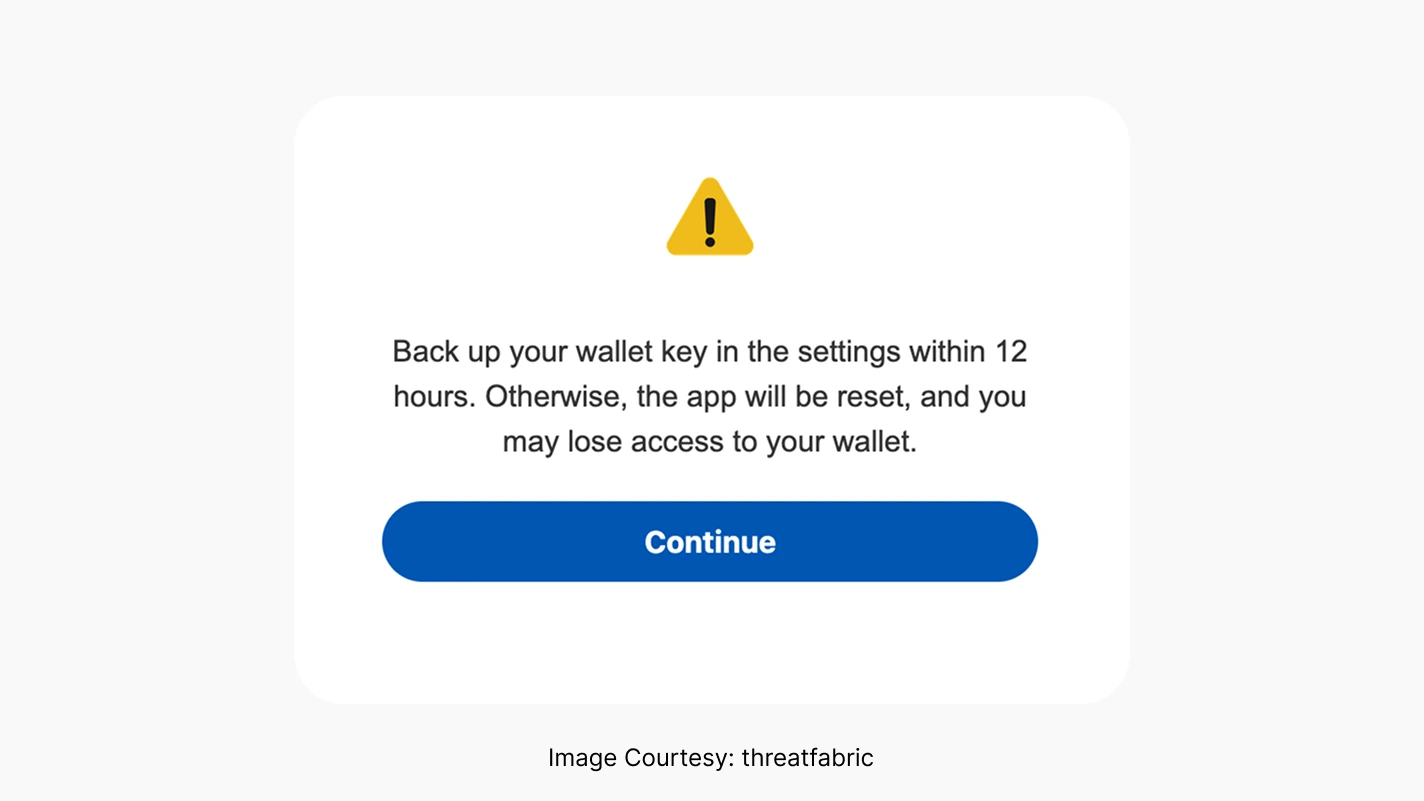
The Crocodilus malware uses social engineering to trick users into downloading fake applications that look trustworthy. Once a victim provides a password/PIN from the application, the overlay will display a message “Backup your wallet key in the settings within 12 hours. Otherwise, the app will be reset, and you may lose access to your wallet.” With this information, the hackers can easily gain control of the device and drain the crypto wallets.
2) Masks Its Presence
This malware hides itself in background processes that delay detection.
3) Targets Valuable Wallets
It targets devices that have the potential to hold high-value assets and a large amount of cryptocurrency.
4) Goes after Banking and Crypto Applications
The Crocodilus malware targets Android devices with banking-related applications, such as Wallets, exchanges, and mobile banking, installed on them.
Working Methodology of Crocodilus Malware
In the previous section, we understood how the Crocodilus malware targets Android devices. In this section, we will discuss the working methodology of the Crocodilus Malware and see what happens when it enters an Android device.
1) Exploit Accessibility Services
Once it gains access to the device, Crocodilus malware exploits the accessibility services, reads content on the screen, and accesses the virtual keyboard to track every tap, thereby stealing private keys and login credentials.
2) Overlay Attacks
One of the most insidious aspects of the Crocodilus Malware is that it employs overlay attacks. It can replace real applications with fake ones and monitor every activity to steal login credentials.
3) Targets Codes
The Crocodilus malware can catch seed phrases, recovery keys, and two-factor Authentication (2FA) messages. It can use seed phrases to steal private keys of cryptocurrency wallets.
4) Avoids Anti-Virus Tools
It bypasses anti-virus tools installed on the system to remain hidden in the background. It shuts down anti-virus updates and alerts.
5) Acts Remotely
It acts remotely to avoid detection, works in the background, and blocks security warnings.
Security Features to Prevent Such Attacks
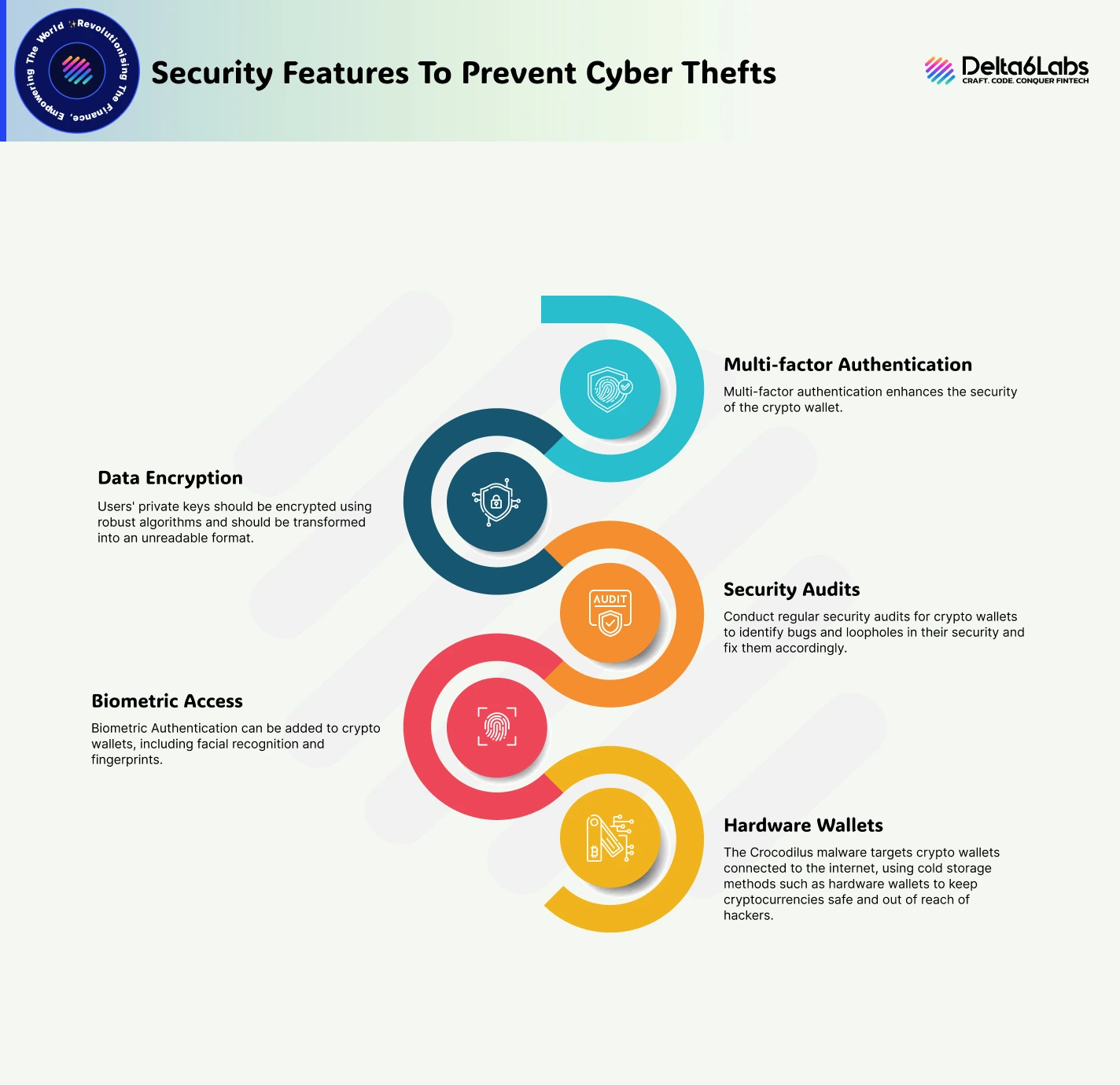
Cryptocurrency wallet service providers and development firms like Delta6Labs incorporate multi-layered security features to prevent such attacks on the crypto wallets and take the following measures to ensure the safety of users’ digital assets.
1) Multi-factor Authentication
Multi-factor authentication enhances the security of the crypto wallet. In multi-factor authentication, a wallet can be accessed only by entering a password and a one-time code. This provides an extra layer of security to the wallet and keeps it safe from attacks like Crocodilus malware.
2) Data Encryption
Users’ private keys should be encrypted using robust algorithms and should be transformed into an unreadable format.
3) Security Audits
Conduct regular security audits for crypto wallets to identify bugs and loopholes in their security and fix them accordingly.
4) Biometric Access
Biometric Authentication can be added to crypto wallets, including facial recognition and fingerprints.
5) Hardware Wallets
The Crocodilus malware targets crypto wallets connected to the internet, using cold storage methods such as hardware wallets to keep cryptocurrencies safe and out of reach of hackers.
How To Check For A Crocodilus Attack
To determine whether an Android device is under attack, it is essential to check the device regularly. There are some signs that suggest the device is under the attack by Crococdilus malware.
1) Suspicious Activities
Check your device for any suspicious activity that may be happening in the background. Also, check if there are any apps that you haven’t installed or that do not look trustworthy.
2) Check App Permissions
Regularly check the app permissions in your device’s settings, and review the permissions given to the accessibility applications.
3) Battery Drain
If your device is infected with Crocodilus malware, there is a chance that your device’s battery will drain unusually.
4) Increased Data Usage
If your Android device is consuming data more than usual, then there is a possibility that the device is infected with the Crococdilus malware.
How to Remove Crocodilus from Android Devices
If your device has been under attack by Crocodilus malware, then it can be removed using the following steps:
1) Removing third-party Apps
The first thing you should do if you want to remove the Crocodilus malware is to remove all third-party apps from the device and install official applications from the Google Play Store.
2) Avoid Suspicious Links
Users should not click on suspicious links that pop up on the screen while browsing. Avoiding these links can reduce the risk of triggering phishing attacks.
3) Software Updates
The easiest thing one can do to protect their devices is to update their devices and wallets. This will help close security gaps and protect the device from exploitation.
4) Take Professional Help
If you believe the situation has become critical, it is advisable to contact cybersecurity technicians and experts.
Final Words
The recent attacks on Android devices, particularly those targeting crypto wallets by the Crocodilus malware, have taken the crypto world by storm. Discovered by the cybersecurity team at Threat Fabric, the Crocodilus malware can evade detection from anti-viruses and Google’s Play Protect system. It attacks Android 13 and later versions. As of now, it is limited to Spain and Turkey, but experts have warned users about its impact on crypto wallets worldwide.
It uses social engineering tricks to manipulate users into allowing it access to their information. Once it gains access, it starts recording the screen content and begins monitoring every tap on the keyboard to steal login credentials, private keys, and seed phrases. Crypto wallet development firms, such as Delta6Labs, are incorporating security features like multi-factor authentication, biometric authentication, data encryption mechanisms, security audits, and hardware wallets to provide an extra layer of security for users’ digital assets.
If your device has been infected by the Crocodilus malware, it can be detected and removed using a few simple steps. If things are out of your hands, then it’s better to connect with cybersecurity experts. Some precautionary steps can save your device from such attacks, but the most important thing is to be aware of such threats and take the required measures to mitigate them.